 Visto Docs
Docs home/Getting started
Complete your first project
Try the full workflow with a short test video before using a real delivery. Keep the same asset through its revisions.
Set up a project
- Ask the Owner to provide an available upload location.
- Open the project list and choose New project.
- Enter a recognizable name, select project storage, and add the delivery brief.
- Open the new project and upload a small video in Media.
- Wait for upload and processing to finish, then play the preview.
Collect feedback
- Open the asset, select V1, and create a review.
- Choose the participants, deadline, and approval rule.
- If external feedback is needed, configure the share password and allowed actions.
- Ask the reviewer to leave a time-based comment and a decision.
- Reply to feedback and resolve threads after making the changes.
Deliver a revision
Open the original asset and choose Upload new version. After V2 is ready, create a review that explicitly selects V2. Check the final decision and share the correct review link.
Before archiving, save an actual backup and any separate media copies you need. Archiving a project does not copy its files to another disk.
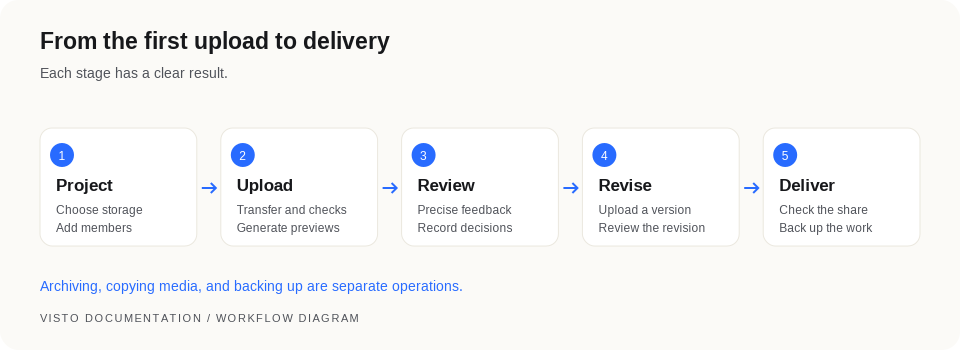
At the end, you should be able to open both versions, find their separate review histories, and access the final shared version from the recipient's device.