 Visto Docs
Docs home/Reviews and delivery
Create a review
A review is a defined feedback or approval task for selected media versions.
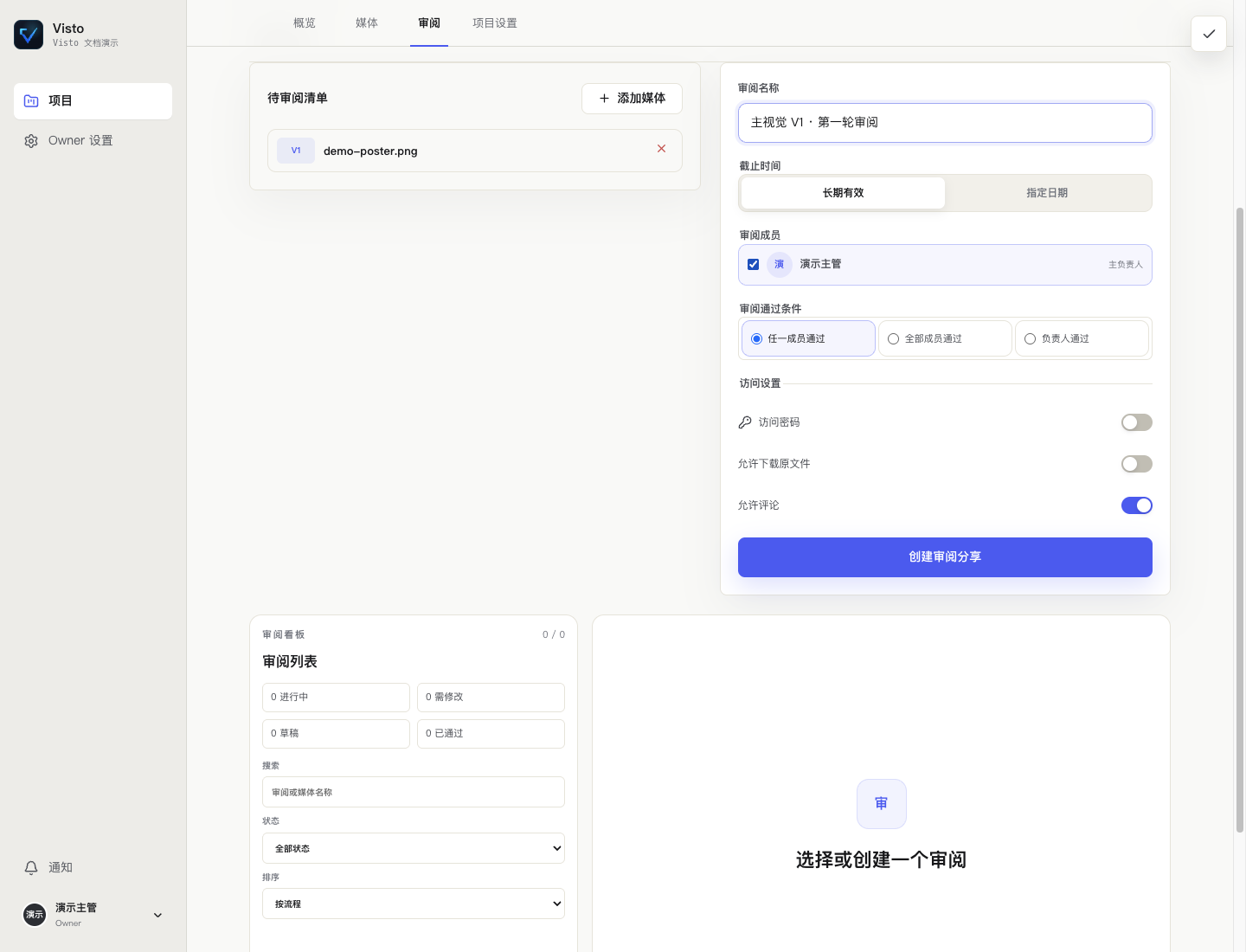
Configure the review
- Select the version from asset details, or add media from the project's Reviews page.
- Check each asset and version; remove unrelated items.
- Name the review according to its purpose.
- Choose the deadline and participants.
- Select the approval rule and responsible person where needed.
- Configure external access, comments, and downloads if you plan to share.
- Save and check the review state and share result.
Approval rules
| Rule | Use when |
|---|---|
| Any reviewer | One designated reviewer's approval is sufficient |
| All reviewers | Every required reviewer must approve |
| Responsible person only | One selected person makes the final decision |
Without sharing permission, a created review may remain a draft. Check its state before sending it out. If copying fails after creation, continue from the existing review instead of creating another one.
The review board organizes rounds by state. Review details preserve the selected versions, participants, comment threads, and decisions.