 Visto Docs
First setup and login
A new instance opens the workspace setup form. This creates the workspace and Owner account; it does not move existing media.
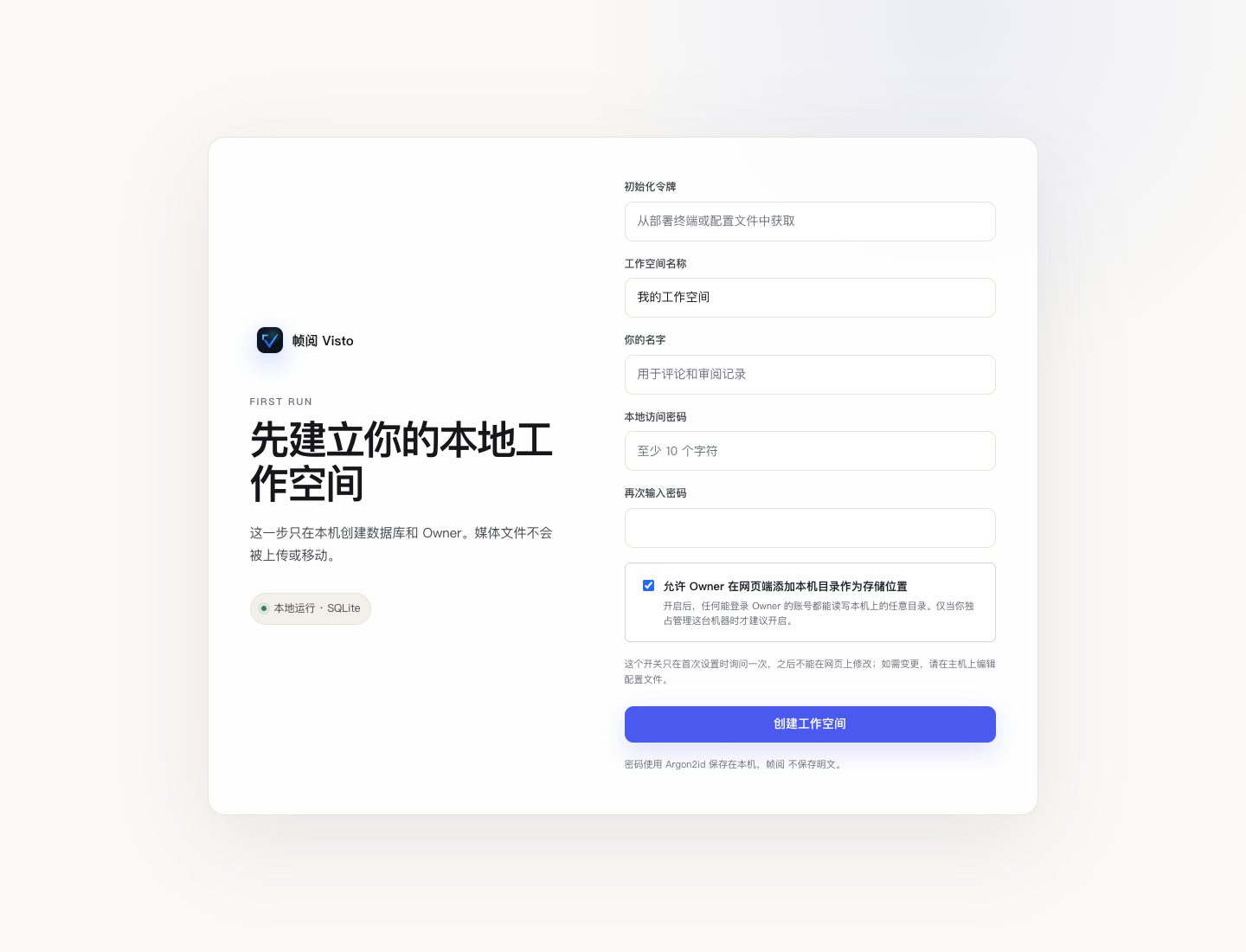
Fill in the form
| Field | What to enter |
|---|---|
| Initialization token | The private token obtained by the host administrator |
| Workspace name | A name your team will recognize |
| Your name | Your own name for comments and decisions |
| Local access password | A strong password of at least 10 characters |
| Confirm password | Exactly the same password |
For the default macOS instance, read the initialization token privately:
sudo cat /Library/Visto/config/host-management-token
On Linux it is in /etc/visto/host-management-token. For the default Windows installation, read the full token in an administrator PowerShell window on the deployment host:
Get-Content -LiteralPath "$env:ProgramData\Visto\data\host-management-token.txt"
Keep data in the default path. If you configured a different data directory, use the actual token location printed by the installer. If the path is missing, check the location and whether installation succeeded. If access is denied, reopen PowerShell as administrator; do not relax file permissions. The installer's short fingerprint cannot replace the full token. Never paste the token into a public issue, screenshot, or chat.
Decide host-directory access
The option allowing the Owner to add host directories in the browser is enabled by default. Decide whether that suits your host before submitting the form.
This choice cannot be changed in the browser after setup. A host administrator can change VISTO_ALLOW_WEB_HOST_PATHS in the host configuration and restart the service: 0 disables it; 1 forces it on. View the effective state in Owner settings → Network and security.
Disabling this option does not remove members' access to storage already authorized for their projects.
Sign in normally
After setup, use your member email and password. Older workspaces or the initial Owner may have no email yet; leave the email empty only when the login page explicitly supports that route.
If an existing instance unexpectedly shows first setup, check the address and data directory before creating another workspace. For a forgotten Owner password, ask the host administrator to use the supported recovery procedure rather than deleting the database.