 Visto Docs
Configure storage
Owner settings → Storage and upload security. Projects need an available upload location before they can accept media.
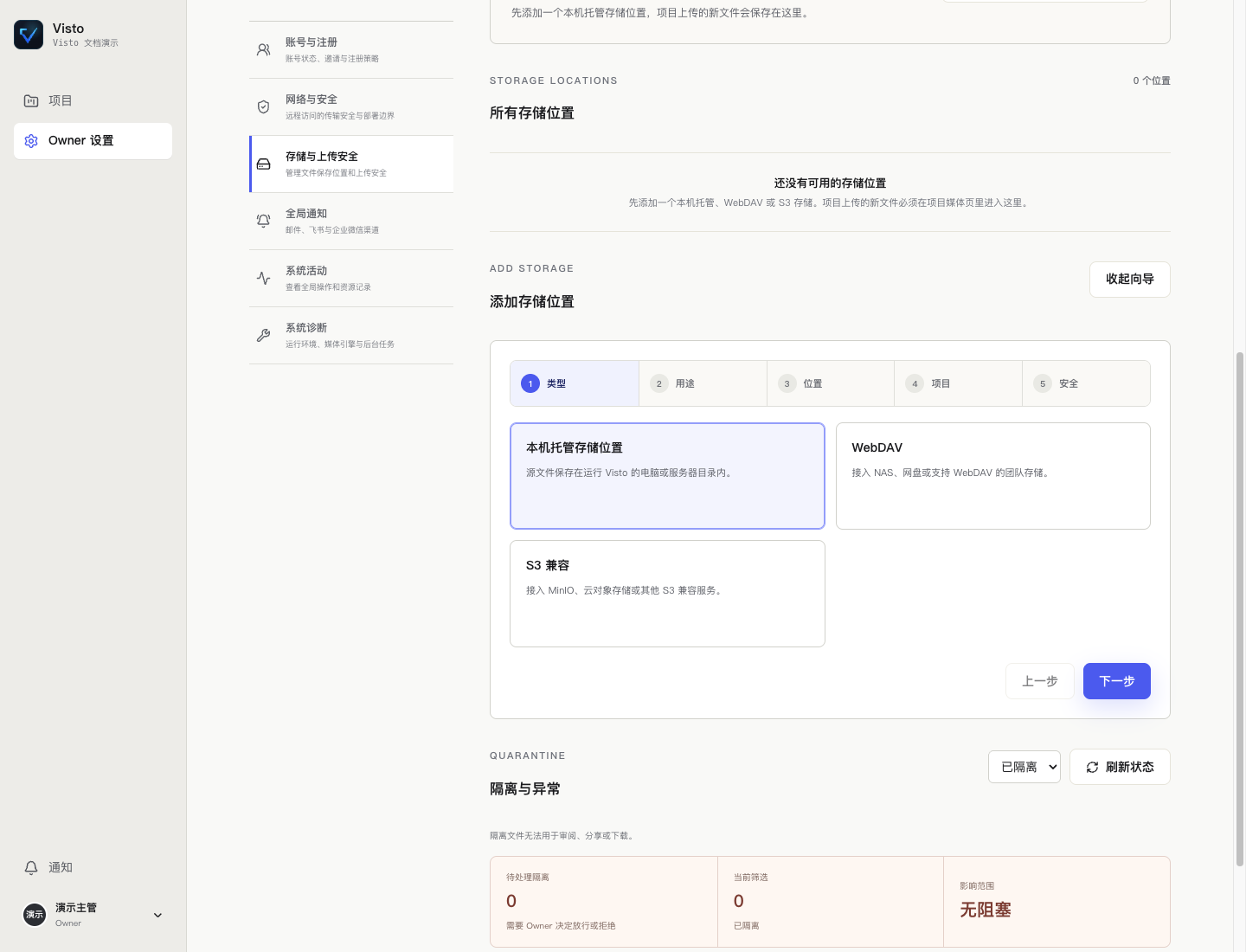
Choose a storage type
| Type | Information needed |
|---|---|
| Local managed storage | Dedicated absolute path on the host, service permissions, free space |
| WebDAV | WebDAV endpoint, username, password, permitted directory |
| S3-compatible | API endpoint, bucket, region, access key, secret key, prefix |
A local path belongs to the Server host, not the computer running your browser. For Docker it must be a path visible inside the container. Mount external disks before using them and keep their paths stable.
Use a dedicated service account with only the required storage permissions. A WebDAV endpoint is not the service's ordinary login page. An S3 endpoint is not its management console; endpoint, region, bucket, and credentials must refer to the same service. Enable private-network access only for a storage service you trust.
Complete the wizard
- Choose the storage type.
- Select its purpose: project uploads, archives, or comment attachments.
- Enter a recognizable name and the connection or directory details.
- Select the projects allowed to use it.
- Choose the upload-security policy, save, and wait for the result.
Test remote connections. A connected service still needs the correct purpose and project scope. An archive location does not automatically become an upload location.
Upload-security policies
Fast suits controlled, trusted uploads; Standard is the usual project policy; Enhanced is for less-trusted uploads and requires appropriate scanning capability. The policy name does not prove a scan engine is configured. “Not scanned” is not a successful malware scan.
Open Project settings → Project storage and check that the upload location is available. An empty list can mean missing authorization, an inactive location, a wrong purpose, or a quota issue.
Changing the upload location affects future uploads; it does not automatically move existing media. Review affected projects before disabling or deleting a connection.